
Building a Scalable Podcast CMS in Webflow for Dr. Imamu “Mu” Tomlinson
Specifics
About the Client
Imamu “Mu” Tomlinson, MD, MBA, is a physician, CEO of Vituity, and thought leader whose career spans the front lines of emergency medicine and the boardrooms of healthcare innovation.
Project Overview
Primary Audience
- Healthcare executives and clinical leaders
- Conference organizers / speaking bureaus
- Healthcare innovators, founders, operators
- Media and editorial teams
- Professionals seeking leadership + healthcare transformation insights
Goal
Create a podcast experience that feels authoritative, easy to maintain, and designed to rank—positioning Mu as a credible voice in healthcare leadership and innovation.
Problem Description
As Mu’s website content grew, the team needed a podcast system that could do all of the following:
- Scale without breaking Webflow limits
Webflow CMS collections have a field limit (60 fields), and a podcast episode can quickly become complex: episode metadata, guests, audio embeds, video embeds, summaries, key takeaways, timestamps, transcripts, and “chapters” content. - Support SEO + modern media indexing
The episode pages needed to be structured so that search engines can properly understand the page content and give the video/podcast page credit especially important as media pages must be the primary focus to index well. - Provide a user experience similar to top podcast sites
The team referenced strong benchmarks (e.g., Huberman Lab and Mel Robbins) where users can scan chapters, click timestamps, and navigate long-form content without friction. - Enable a realistic publishing workflow for the internal team
The content team needed a repeatable process to publish episodes reliably even if automation pulled in some data, there would still be a manual editorial component (chapters, transcript formatting, thumbnail moments, etc.).
Solution
My Approach
1) Start with the outcome: “authority + usability + maintainability”
Instead of building a “pretty” page first, I designed the system around:
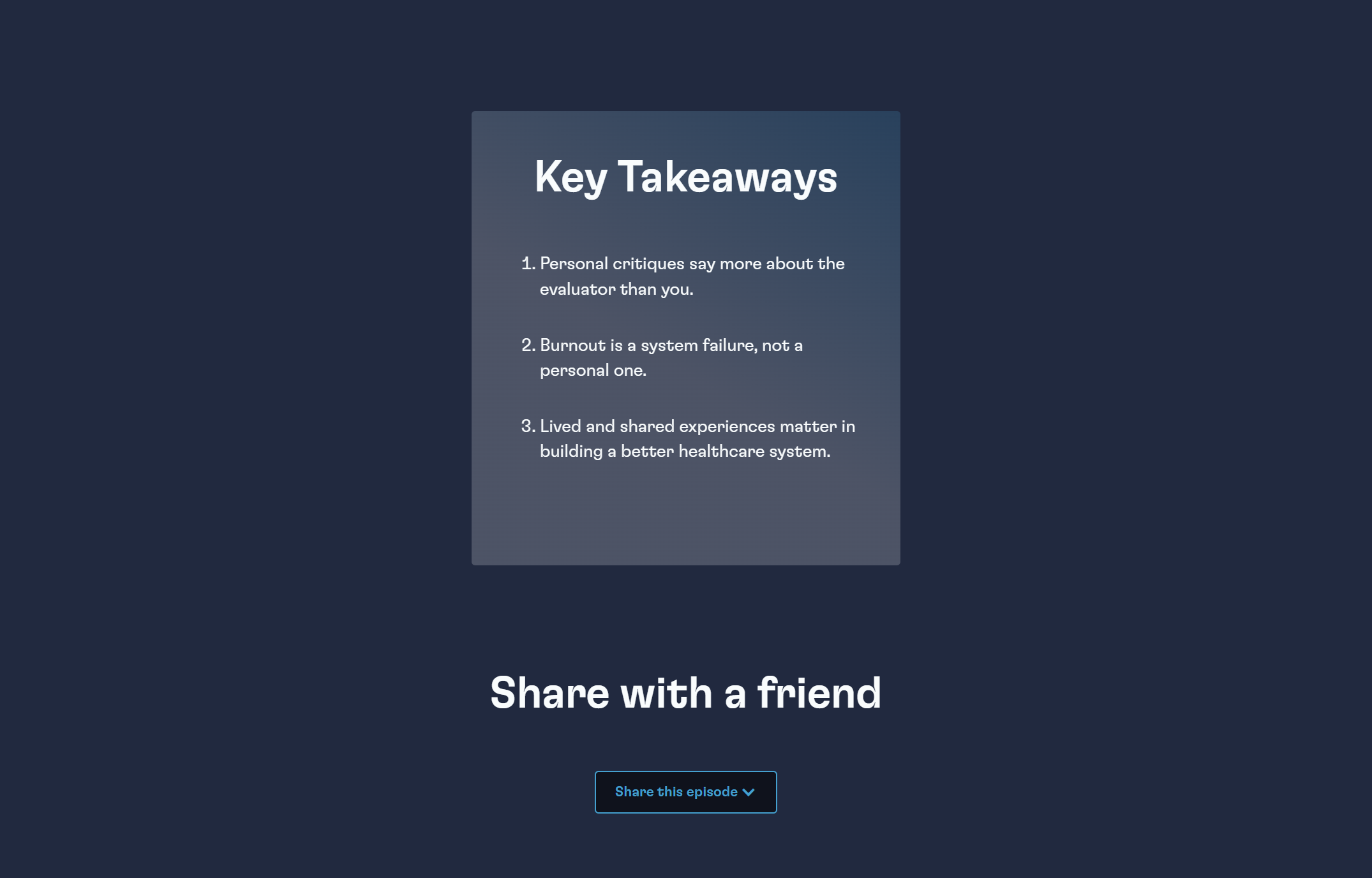
- How visitors will consume the content quickly (chapters + key takeaways)
- How search engines will parse the page (transcript depth + structured layout)
- How the internal team will publish new episodes consistently (CMS workflow + documentation)
2) Design the CMS architecture before building the UI
To avoid hitting CMS limits and to keep content manageable, I split the system into three clear collections:
- Podcast Categories (Collection)
- Centralized taxonomy (Leadership, Innovation, Disruption, Healthcare Diversity, etc.)
- Reused across the site to reinforce topical authority
- Podcasts / Episodes (Collection)
- The “parent” episode record: title, date, guest info, embeds, summary, key takeaways, etc.
- Chapters (Collection)
- A separate collection referenced to the Parent Episode
- Each chapter stores: timestamp, chapter title, thumbnail, and transcript excerpt
- This prevented field overload and kept the structure scalable
✅ Result: a system that supports up to 14 chapters per episode without CMS bloat.
3) Build the UX for real-world behaviors (not ideal-world content)
Podcasts are long. Transcripts are heavy. Chapters need formatting.
I implemented:
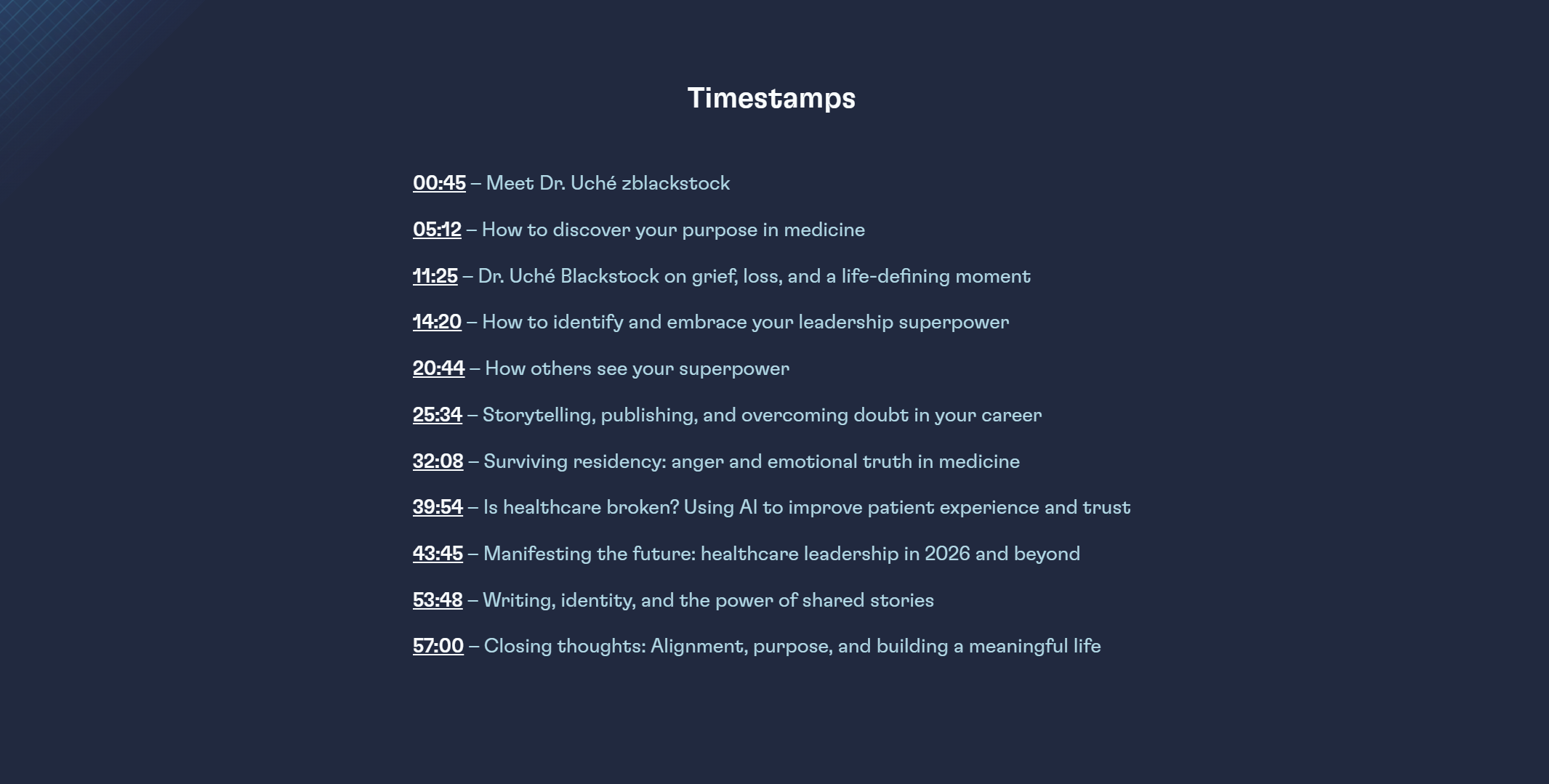
- Clickable timestamp functionality to jump the YouTube player to exact moments
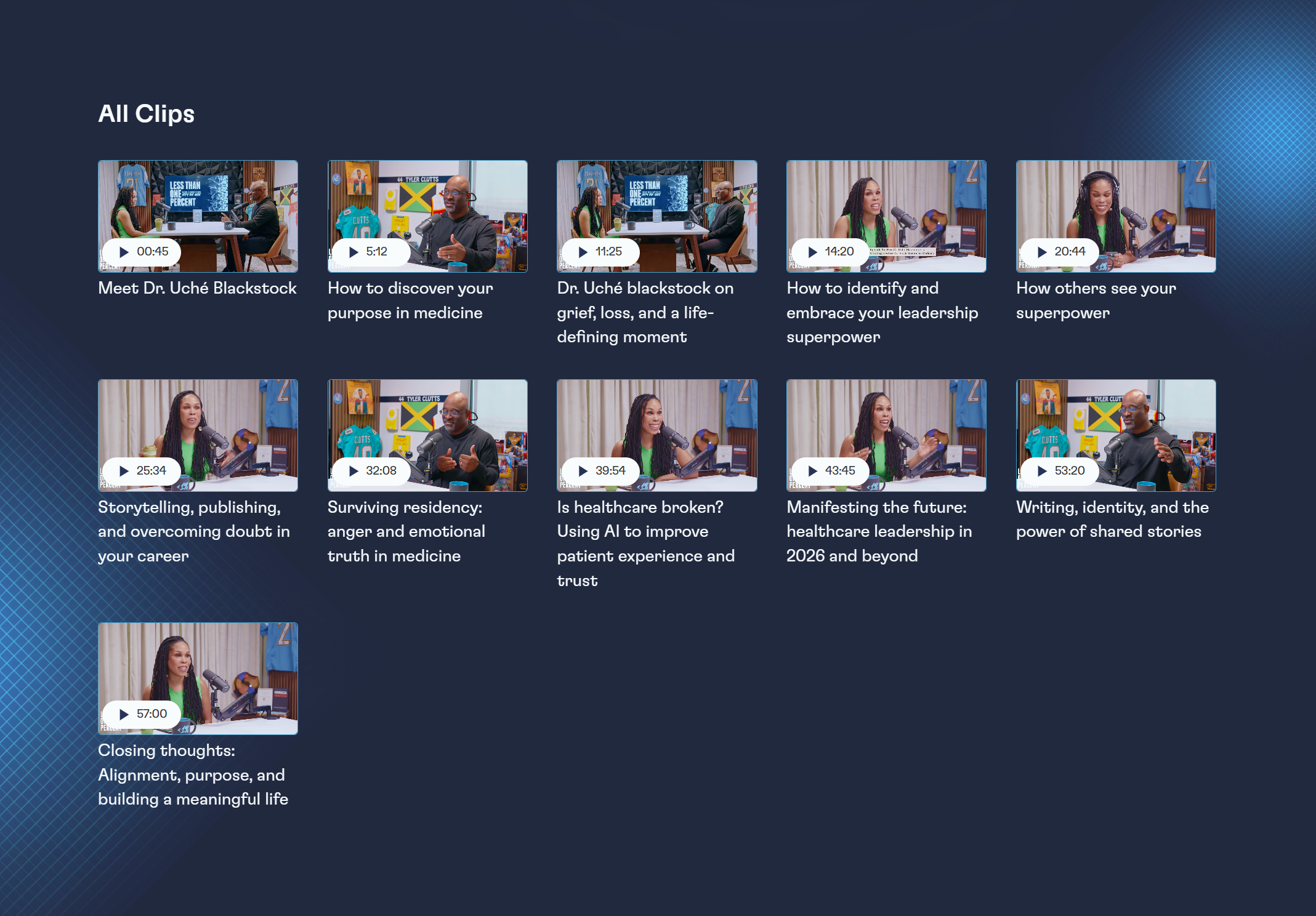
- Two display options (simple text timeline vs. chapter cards with thumbnails) so the team could choose the approach that best fits their internal workflow
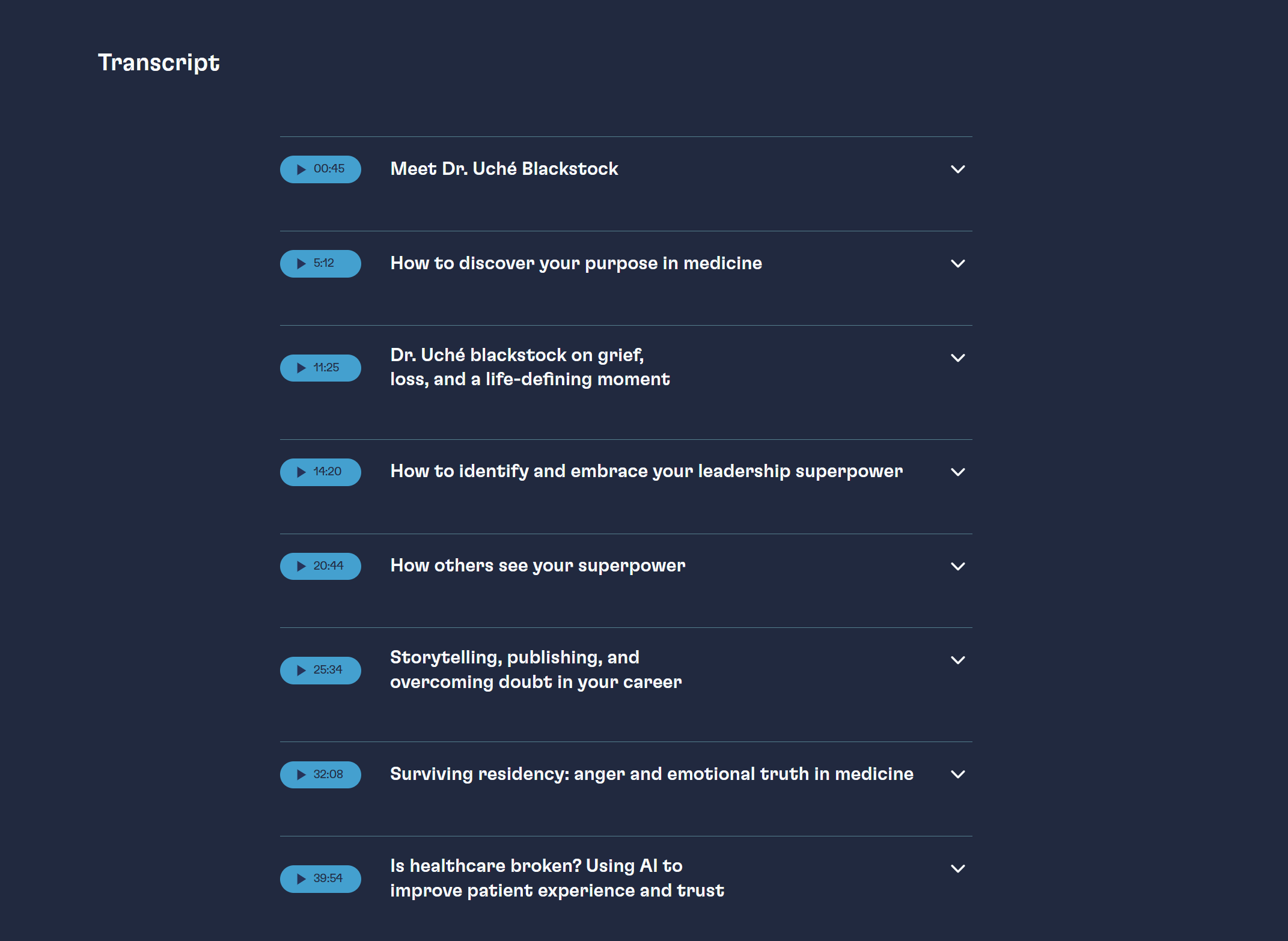
- Transcript handling designed to support long-form readability and SEO value
The Solution (What I Built)
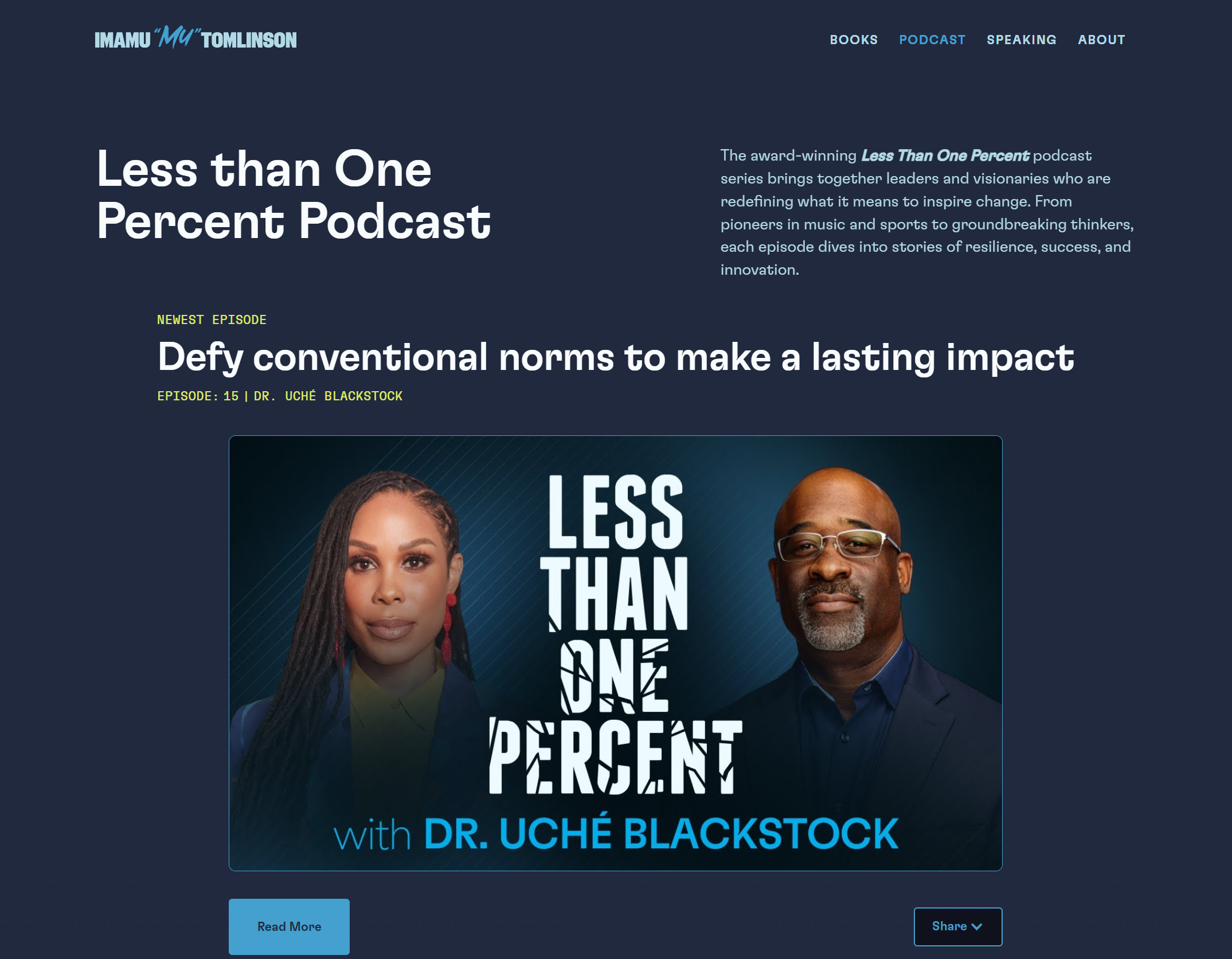
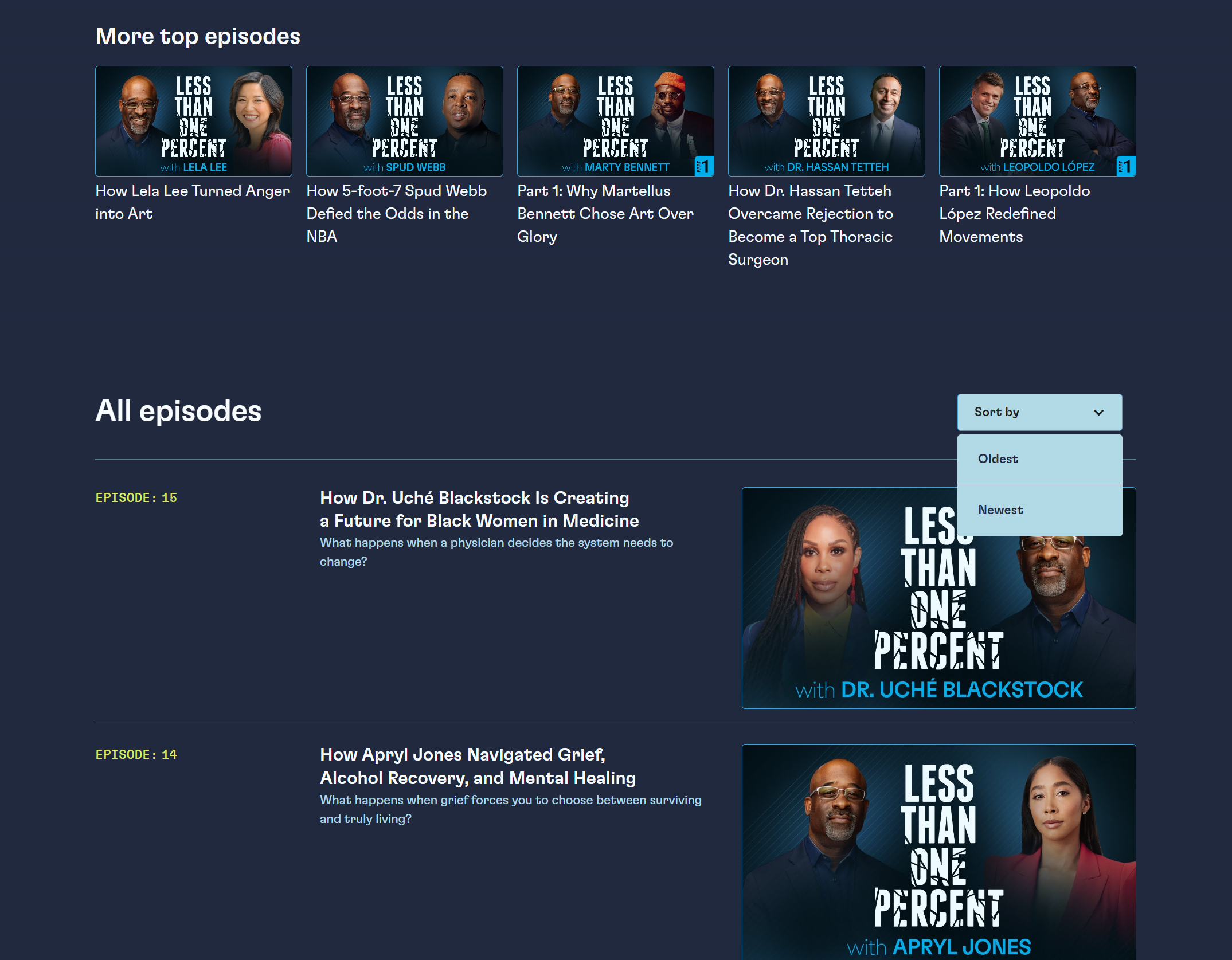
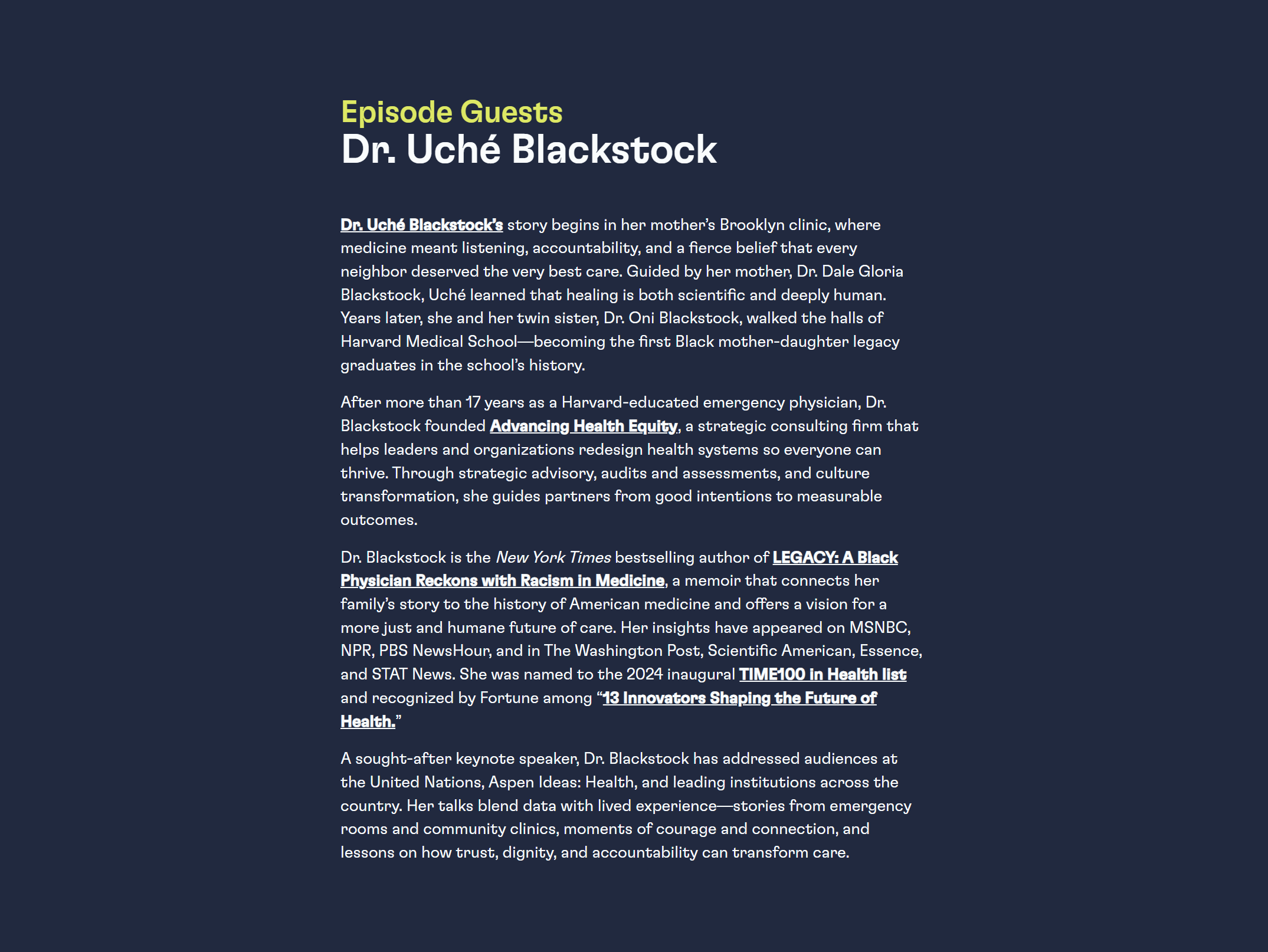
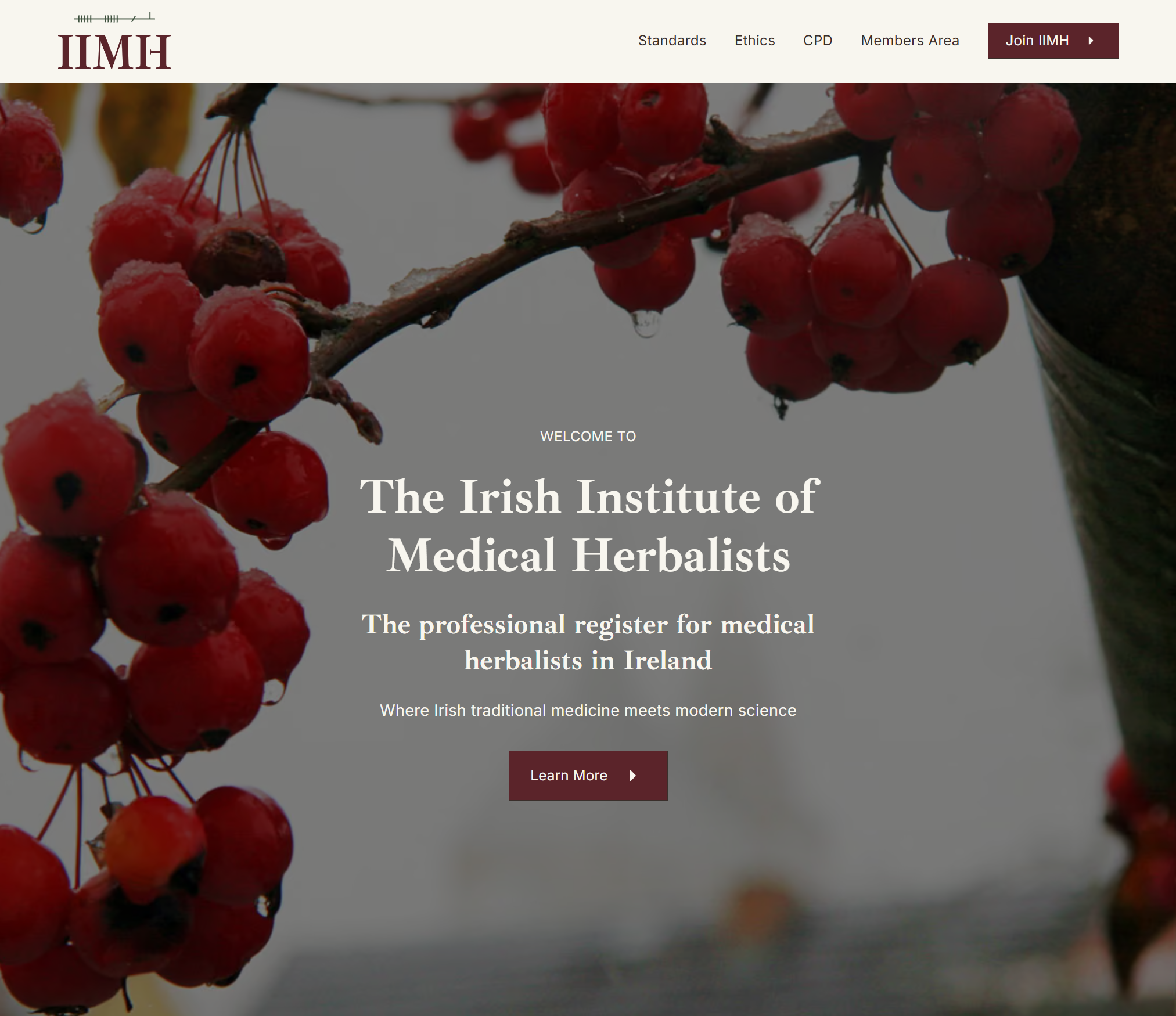
A) Podcast Hub Page (Main Podcast Page)
A central page that:
- Showcases featured episodes
- Supports browsing and filtering
- Makes the podcast feel “editorial” and authoritative—not just a list of embeds
Features
- CMS-driven episode grid
- Filtering/sorting (via Finsweet Attributes, where applicable)
- Featured and Top Episode toggles for curated highlights
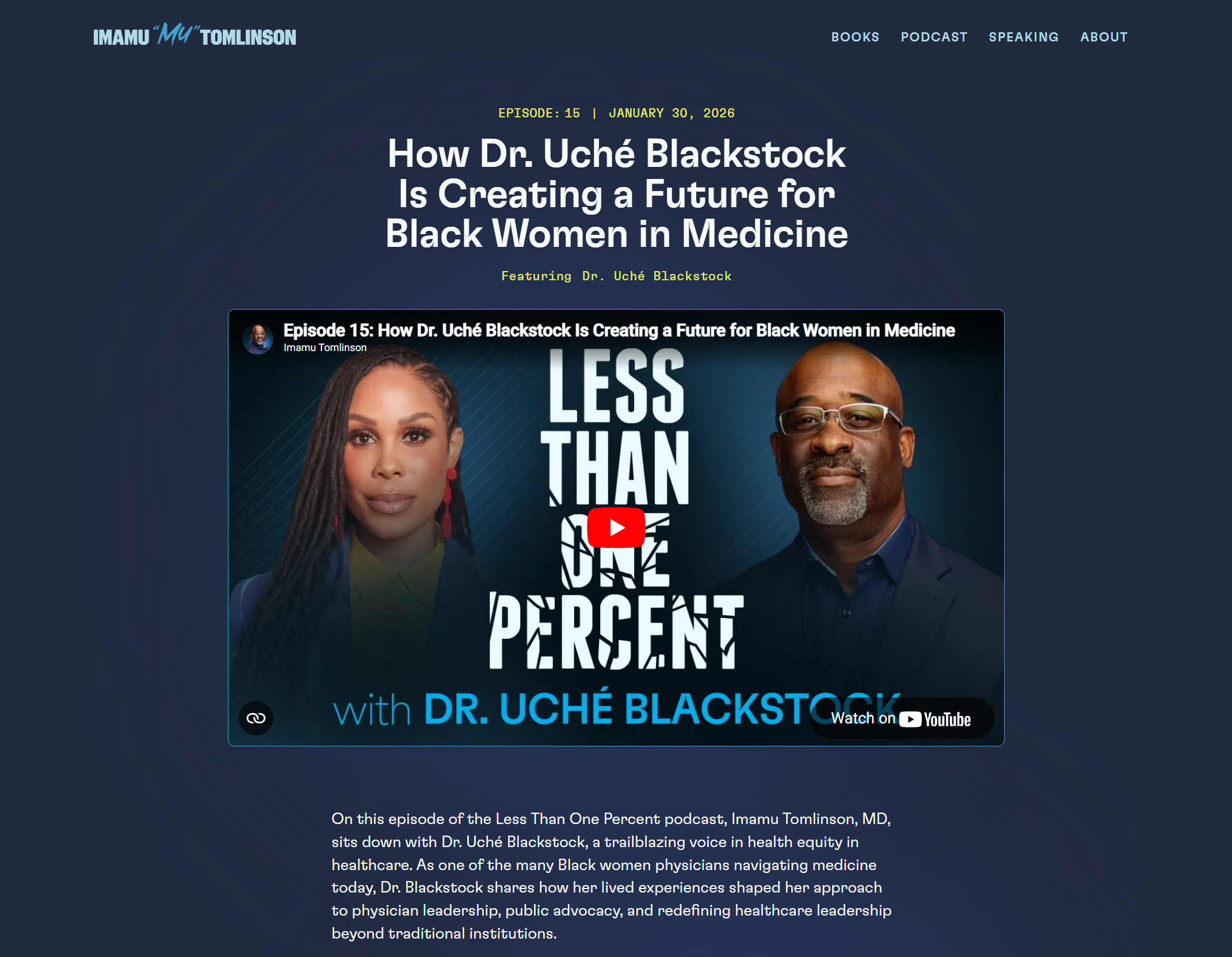
B) Podcast Episode Template (CMS Template Page)
Each episode page is structured so the video/podcast is the main focus, followed by supporting content that strengthens SEO and user engagement.
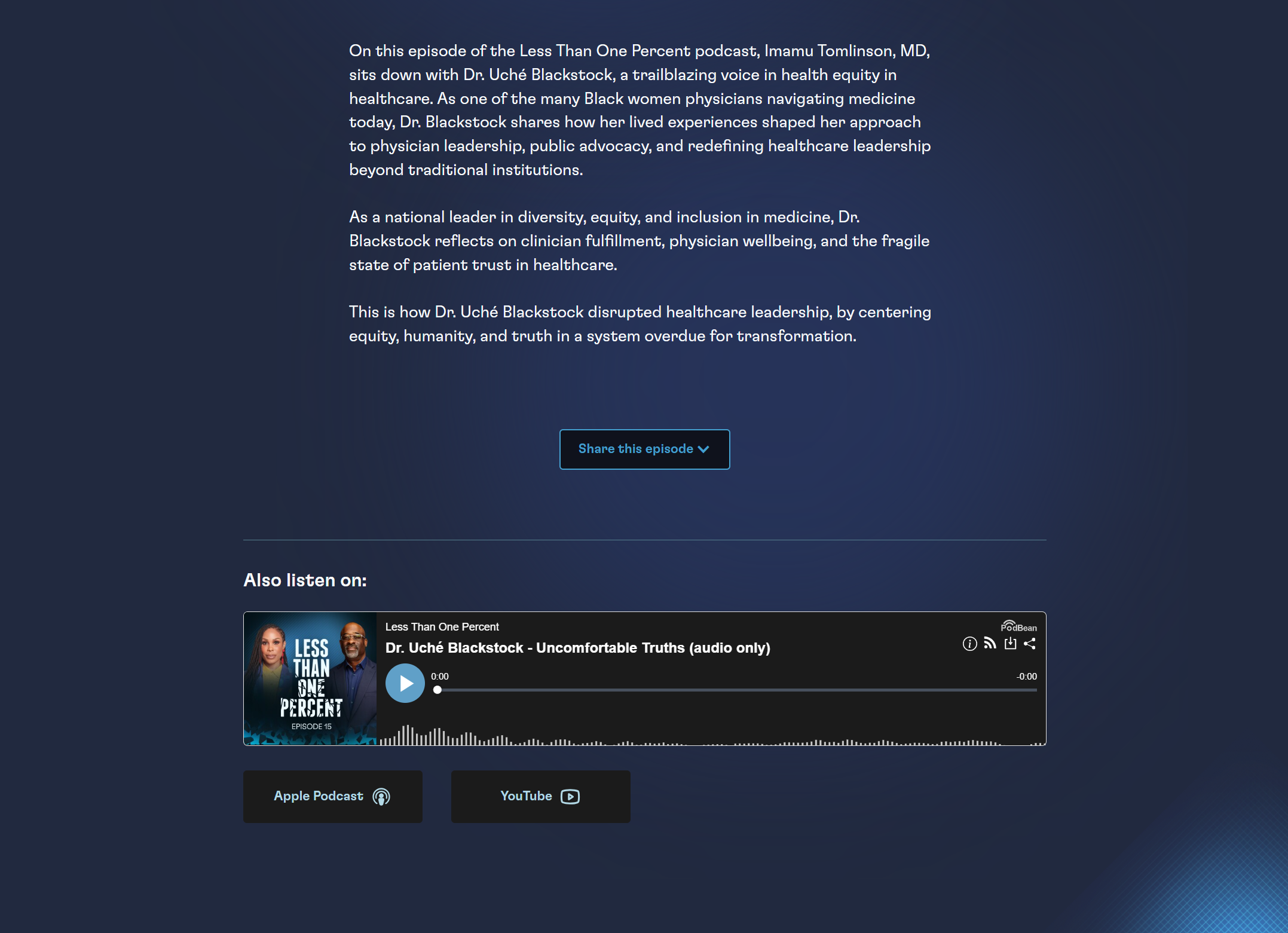
Episode Page Content Sections
- Episode title (H1)
- Video embed (single focus)
- Episode summary
- Chapter timeline (clickable)
- Chapter cards with images (optional)
- Transcript sections / chapter transcripts
- Related content module (optional)
- Audio embed + listening links
C) Chapter System (Clickable Chapters + Thumbnails)
Each chapter includes:
- Timestamp
- Title
- Thumbnail image
- Transcript segment (chapter-level)
This enables:
- Faster scanning for visitors
- Stronger content depth for indexing
- More “authority signals” because the page contains substantial, structured knowledge
D) CMS + Automation Workflow (Zapier + Manual Editorial Steps)
We set up Zapier to import the basics (where possible), with the reality that some fields still require manual input:
Automated via Zapier (typical)
- Title
- YouTube URL
- Episode date
- Thumbnail
- Base description
Manual editorial steps (required)
- Chapter creation (up to 14 entries)
- Chapter thumbnails (screenshots or curated images)
- Transcript segments per chapter
- Timestamp formatting (for consistency + readability)
- Key takeaways and guest details
To make this easy, I created:
- A CMS Management Guide for the content team
- A Loom walkthrough training showing exactly how to update and publish
Technical Complexities (And How I Solved Them)
1) Webflow CMS field limits
Challenge: Podcast + chapters can exceed 60 fields quickly.
Solution: Split to a Chapters Collection referenced to the main Podcast Collection.
2) Chapter timestamps + embedded player behavior
Challenge: Click-to-jump timestamps behave differently across browsers and autoplay policies (especially Safari).
Solution: Implemented a stable jump-to-time system and adjusted playback expectations based on browser autoplay rules (muted autoplay vs user-initiated play).
3) Transcript formatting at scale
Challenge: Transcripts are long, messy when pasted, and need structure.
Solution: Defined a repeatable formatting approach and documented it for the team.
4) SEO alignment for media pages
Challenge: Episode pages must keep media as the main focus and provide structured content beneath it.
Solution: Built episode templates and chapter structure to support indexable page depth while maintaining clean UX.
Solutions in action

Outcome
Testimonial

Bernice, thanks for all of your efforts on updating Mu’s site—we’re all thrilled with the expertise and excellent communication you brought to this project. These updates will help further build credibility and engagement for Mu and Vituity.

If your expertise has outgrown your online presence, let's talk.
A short call — no pitch, no pressure. I will ask about your work and tell you honestly whether I think I can help.
